Building an Agentic PR Generator: A Deep Dive
Automating pull requests isn't just about saving a few keystrokes — it's about shifting cognitive load. When you finish a feature, the last thing you want to do is parse through your own diffs to write a PR description.
In a previous article, I mentioned replacing GitHub Action-based PR creation with a local agentic command. Here, I'm going deep into the implementation details, including the exact prompt that powers the /add-pr skill.
The Architecture of a PR Agent
Unlike traditional CI/CD pipelines that run after you push, a local agent operates directly in your environment. It has access to your uncommitted changes, your terminal output (like lint or test errors), and your Git history.
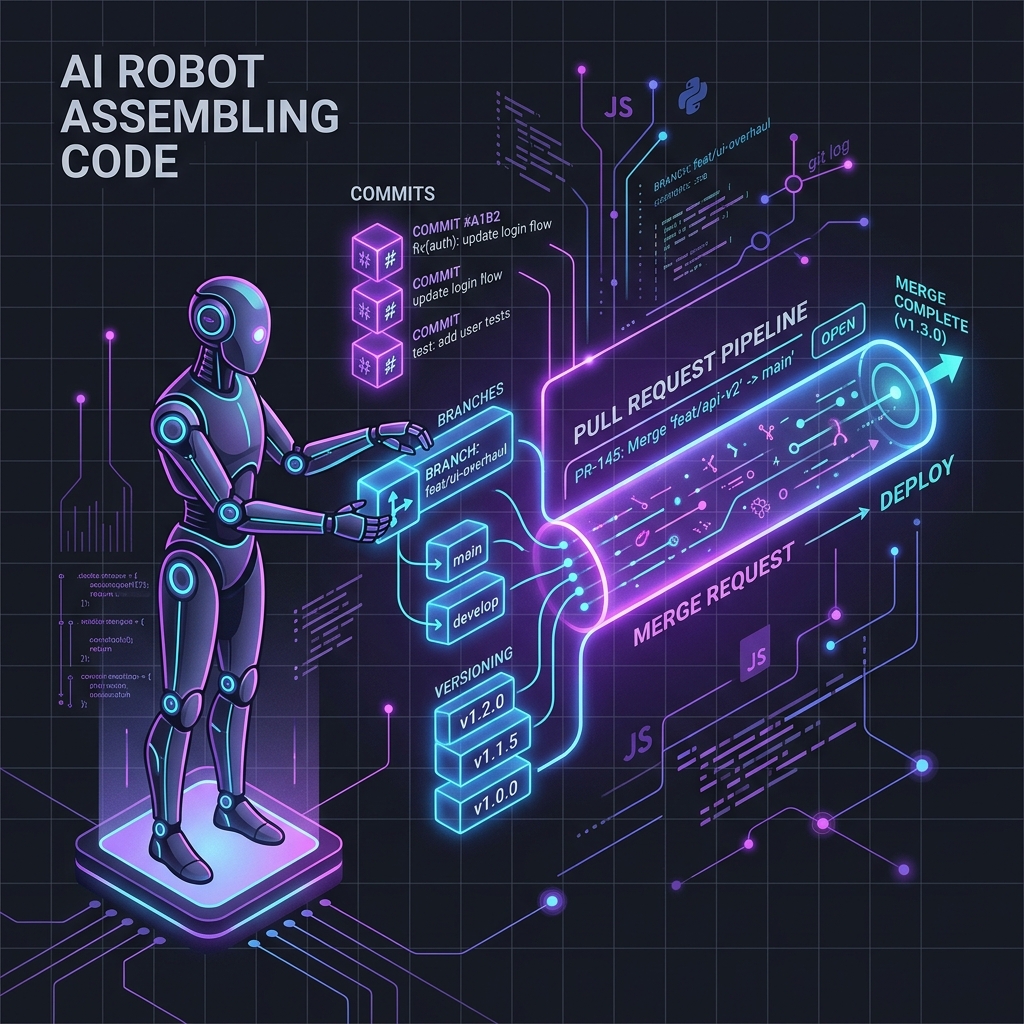
A robust PR agent needs to handle four distinct phases:
- Self-Reflection & Code Commit — Reviewing the diff for obvious errors before intelligently bundling changes.
- Branch Management — Ensuring work is isolated from
main. - Versioning (Optional) — Automatically determining semantic impact via Changesets, if the repository uses them.
- PR Submission & Issue Management — Drafting a summary based on the repository's PR template, linking issues, and submitting via the GitHub MCP server (recommended) or GitHub CLI.
Prerequisites
Before diving into the prompt, make sure your environment has one of the following:
- GitHub MCP Server (Recommended): Gives your agent structured, deterministic API tools. See the setup instructions below.
- GitHub CLI (
gh): Works as a reliable fallback. Install viabrew install ghand authenticate withgh auth login. - An agentic framework: Claude Code, Cursor, or any MCP-compatible client that allows an AI model to execute terminal commands.
The Complete Prompt
Below is the exact system prompt (or "skill" definition) that powers the automated PR generation. It includes self-reflection, auto-issue linking, and a reviewer guide:
Act as a Senior DevOps Engineer and Code Maintainer. Your goal
is to safely commit changes, handle versioning via changesets,
and submit a Pull Request using either the GitHub MCP Server
(recommended) or the GitHub CLI (`gh`).

Please execute the following workflow strictly in order:

### Phase 1: Self-Reflection & Code Commit
1. **Check Status & Diff:** Run `git status` and `git diff`.
2. **Self-Reflection:** Before committing, review the diff for
   hardcoded secrets, unhandled Promise rejections, and leftover
   console/logging statements. If any are found, fix them
   immediately.
3. **Analyze & Commit:**
   - Generate a descriptive commit message following the
     Conventional Commits spec (e.g., `feat:`, `fix:`,
     `refactor:`).
   - Run `git commit -am "your_generated_message"`.
4. **Error Handling (Loop):**
   - If the commit fails (e.g., due to lint errors, type checks,
     or pre-commit hooks), analyze the stderr output.
   - **Fix the specific code errors** reported.
   - Retry the commit step until successful.

### Phase 2: Branch Management
1. **Check Branch:** Determine the current branch name.
2. **Switch if necessary:**
   - If the current branch is `master` or `main`, generate a
     suitable branch name based on the commit context
     (e.g., `feature/user-auth` or `fix/login-bug`).
   - Create and switch to this new branch
     (`git checkout -b new-branch-name`).
3. **Push:** Push the committed changes to the remote origin.

### Phase 3: Changeset Creation (Optional)
*Only execute this phase if the repository explicitly uses
Changesets. Do not use the interactive `npx changeset` CLI.*

1. **Analyze Impact:** Determine the semantic versioning impact
   (patch, minor, or major) from the modified files.
2. **Create File:**
   - Generate a unique filename in `.changeset/`
     (e.g., `.changeset/honest-lions-speak.md`).
   - Populate it using the standard format:
     ---
     "package-name-from-package-json": minor
     ---
     A detailed summary of the changes for the changelog.
   - Read `package.json` first to get the correct package name.
3. **Commit Changeset:**
   - Stage the new changeset file.
   - Commit with message: `ci: add changeset`.
   - Push to the current branch.

### Phase 4: Create Pull Request & Issue Management
1. **Analyze Template & Context:**
   - Check for a PR template (e.g.,
     `.github/pull_request_template.md` or
     `PULL_REQUEST_TEMPLATE.md`).
   - Extract the issue/ticket number (JIRA, Linear, or GitHub
     Issues) from the branch name or commit history.
2. **Generate PR Content:**
   - Draft the PR title and body. If a template exists, the body
     must strictly follow all sections, checkboxes, and
     requirements defined in the template.
   - Append `Closes #XYZ` (or the relevant issue ID) for
     auto-issue linking.
   - Add a **"Reviewer Guide"** section: highlight the 1-2 files
     with the most complex logic, explain architectural
     decisions, and flag edge cases for the reviewer.
3. **Submit PR:**
   - GitHub MCP (recommended): Call `create_pull_request`.
   - `gh` CLI fallback:
     `gh pr create --title "title" --body "body"`
Pluggable Extensions
The core prompt above covers most workflows. For specific repositories, you can append these optional extensions to the prompt:
Targeted Test Execution
Find any test files related to the modified source files.
Run those specific tests (e.g., `npm run test -- <file>`).
If tests fail, read the failure output, fix the application
code or the test assertions, and ensure the suite passes
before pushing.
Auto-Assign Reviewers via CODEOWNERS
Read the `.github/CODEOWNERS` file. Based on the files
modified in this diff, use the GitHub MCP server to
automatically assign the appropriate reviewers and add
relevant labels (e.g., `bug`, `enhancement`, `frontend`).
Why This Prompt Works
Self-Reflection Catches What Linters Miss
Phase 1 introduces a "pause and think" step before committing. While linters catch syntax violations, they won't flag a hardcoded API key sitting in a utility function or a console.log that was left in for debugging. The self-reflection step acts as a semantic linter — catching intent-level mistakes before they ever reach the remote.
Error-Correction Loops
Standard CI pipelines fail and wait for you to fix the code. An agent, however, can read the stderr output from a failed commit (like a TypeScript error or ESLint violation), open the offending file, fix the issue, and retry the commit — all autonomously.
Branch Context Awareness
It's surprisingly common to accidentally start working on main. Phase 2 acts as a safety net. If the agent detects you're on a protected branch, it autonomously generates a contextual branch name (e.g., feature/header-redesign) and moves your changes over before pushing.
Zero-CLI Changeset Creation
The npx changeset CLI is highly interactive, which historically trips up AI agents. By constraining the agent to manually create the markdown file, we bypass the interactive prompt entirely while maintaining strict semantic versioning.
Reviewer-First PR Descriptions
Most auto-generated PRs dump a raw diff summary. The "Reviewer Guide" instruction forces the agent to think about who will review this and proactively highlight complexity. This dramatically reduces back-and-forth and review time.
Getting Started
Setting up the GitHub MCP
The GitHub MCP server gives your agent access to structured API tools (create_pull_request, create_branch, etc.) rather than relying on parsing terminal output from the gh CLI.
To configure it, add the following to your MCP client configuration (e.g., Claude Desktop, Cursor, or similar):
- Generate a GitHub Personal Access Token (PAT) with the
reposcope. - Add the server to your MCP configuration JSON:
{
  "mcpServers": {
    "github": {
      "command": "npx",
      "args": ["-y", "@modelcontextprotocol/server-github"],
      "env": {
        "GITHUB_PERSONAL_ACCESS_TOKEN": "your-pat-here"
      }
    }
  }
}
Running the Skill
Save the prompt as a markdown file (e.g., add-pr.md) and register it as a custom skill or slash command in your AI coding assistant. Alternatively, paste it directly into your agentic terminal when you're ready to wrap up a feature.
This granular control over the git workflow — combined with autonomous error correction, self-reflection, and reviewer empathy — turns a 10-minute administrative chore into a single /add-pr command.
The full workflow configuration is available in my portfolio repo. Questions or feedback? Reach out on LinkedIn.

Himanshu Shrivastava
Senior Full Stack Engineer · Node.js · React · TypeScript · AWS · Accessibility